

Lawn care operations, at the desk
Run the route.Keep the record.Get the invoice out.
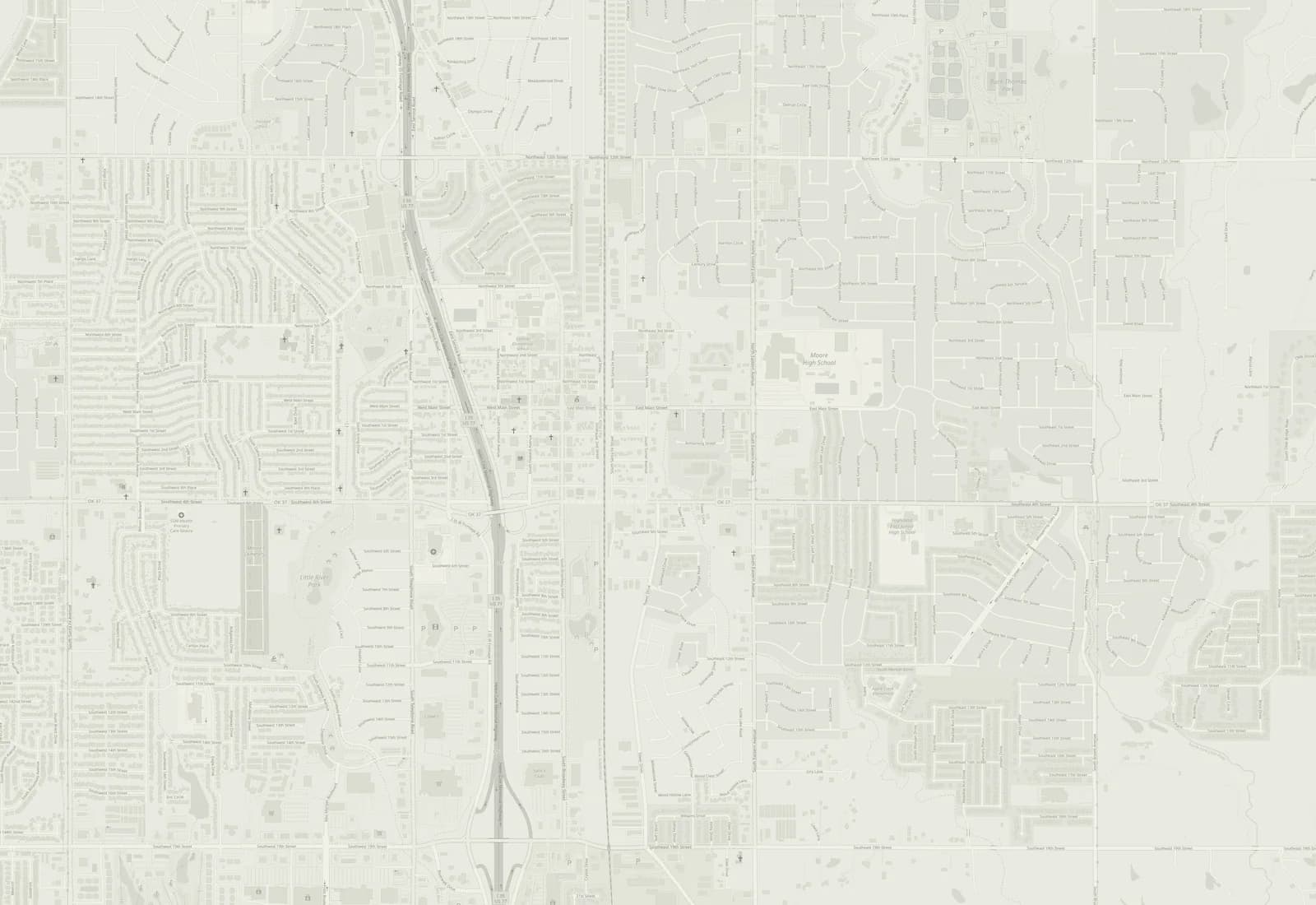
The same customers, routes, and invoices as the app, on a screen big enough to plan a week on. The board is a sample day in Moore, OK: move a stop and watch the roads redraw.
Free to 20 active customers, then $19.99/month. No trial to run out.
Tuesday · Crew 1 · Moore, OK
Back at the shopDone 12:24 PM
- Driving
- 45 min
- Miles
- 18
- Finish
- 12:24 PM
- 1
Sam Ortiz
Mow · Trim · 31 min
- 2
Morgan Price
Fertilize · 22 min
- 3
Cameron Baker
Mow · Edge · Blow · 37 min
- 4
Avery Hayes
Mow · Edge · Blow · 44 min
- 5
Dana Nguyen
Pre-emergent · 25 min
- 6
Riley Ellis
Mow · Edge · Blow · 38 min
- 7
Jordan Walsh
Mow · Edge · Blow · 42 min
- 8
Taylor Kim
Mow · Edge · Blow · 40 min
Drag a stop, or use the arrows
Real streets, sample customers. This demonstration uses road-network travel estimates without live traffic. Review your proposed route in the office before saving changes. Map data © OpenStreetMap contributors.
- per month once you pass 20 customers
- $19.99
- customers free on Starter, for as long as you like
- 20
- per month for Automation, which texts your customers
- $45.00
- the app the crew runs; this site is the desk
- iOS + Android
One operator workflow: customer → property → visit → record → invoice.
How a day runs
One record from the booking to the invoice.
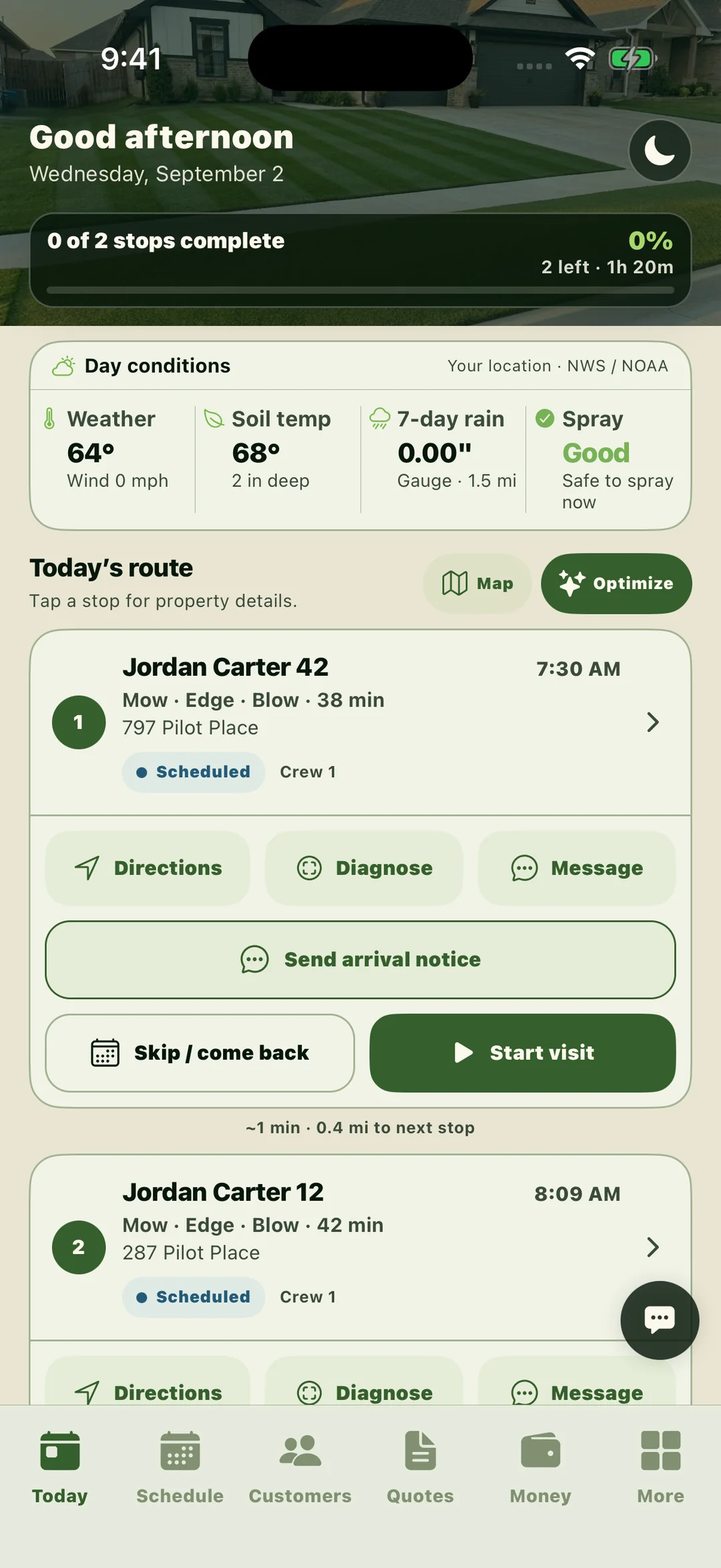
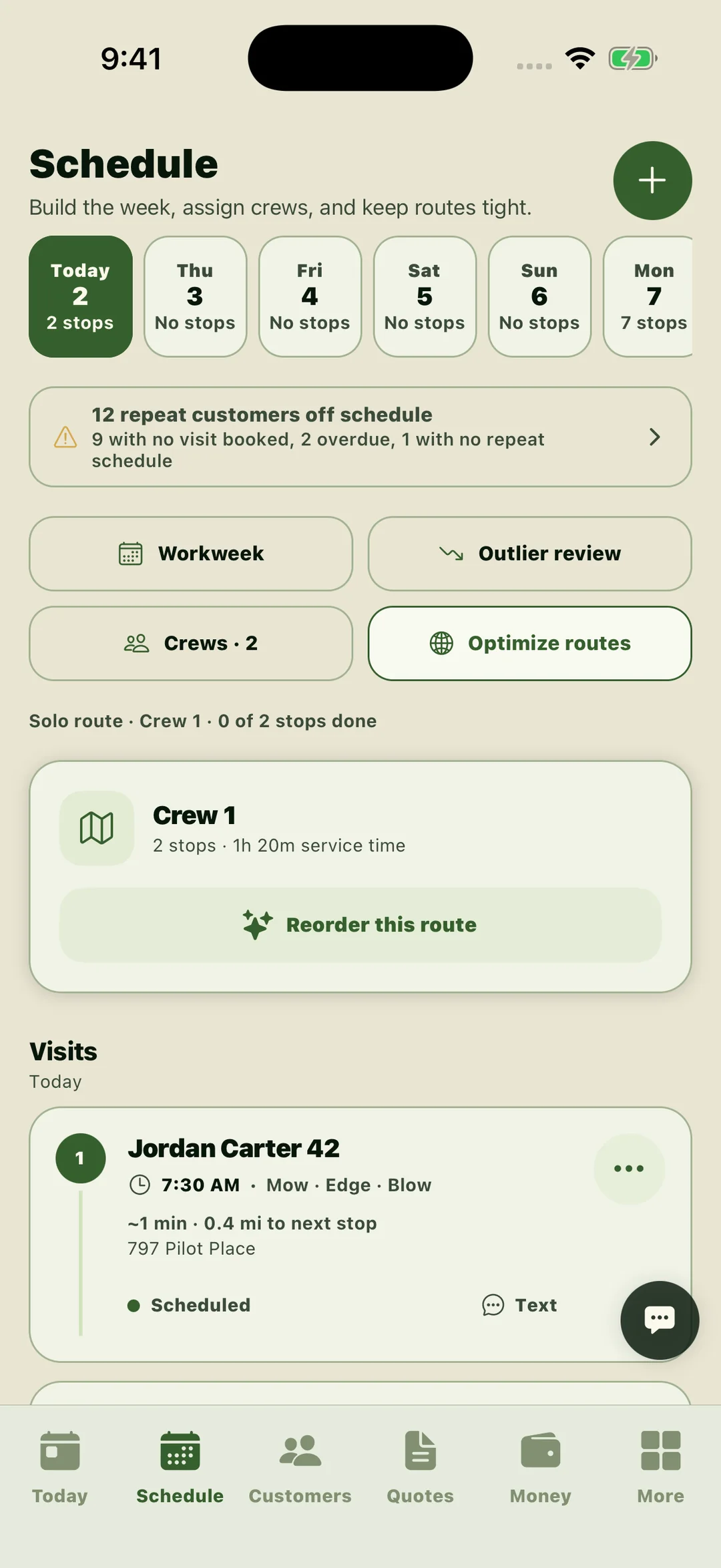
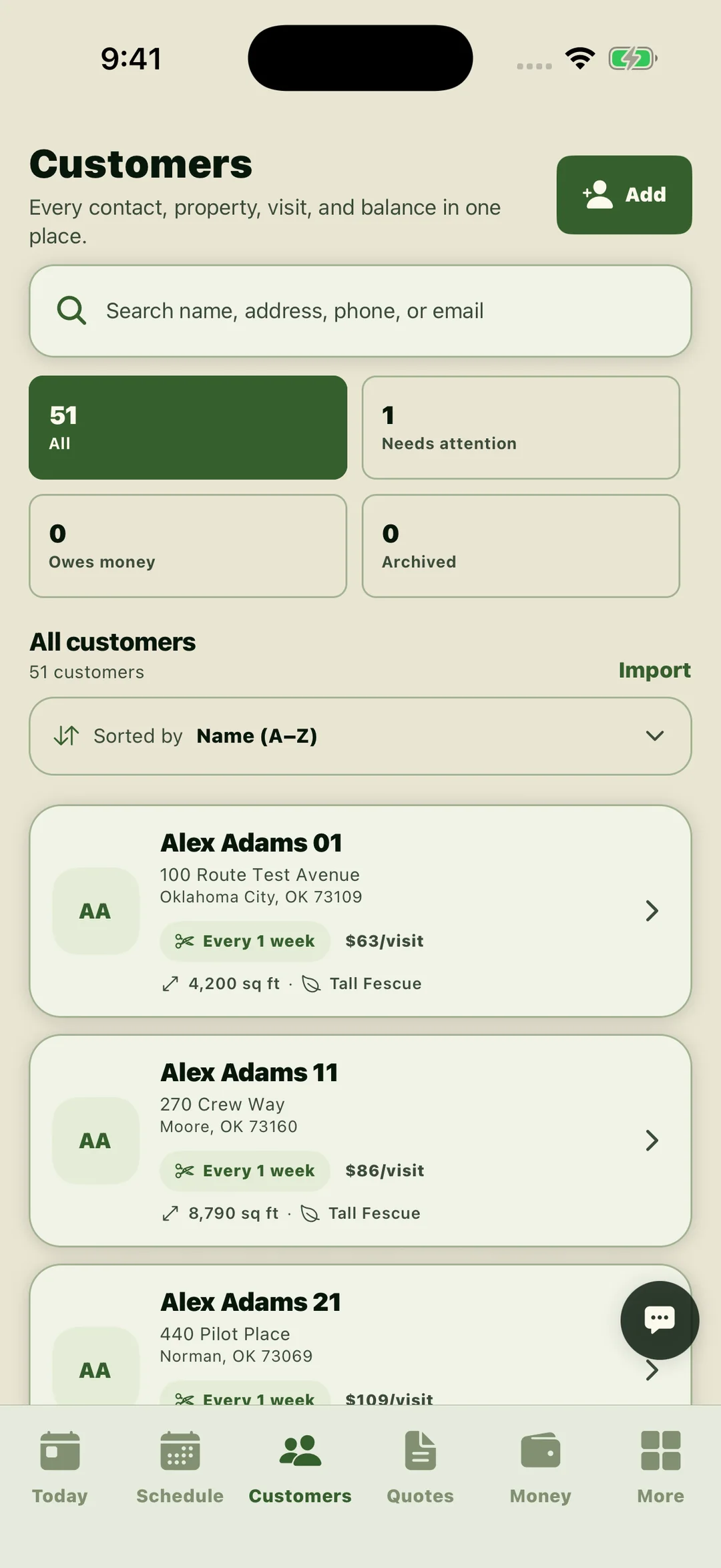
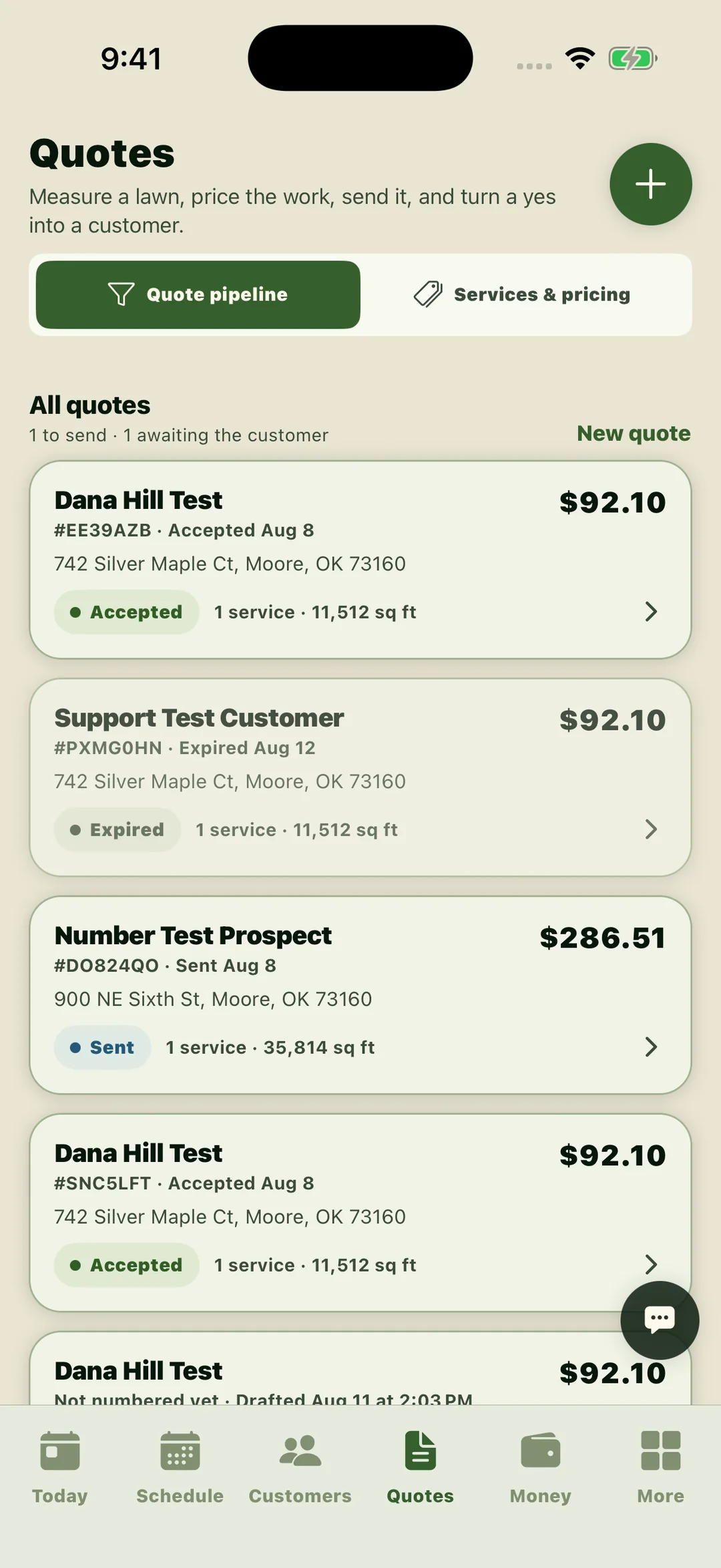
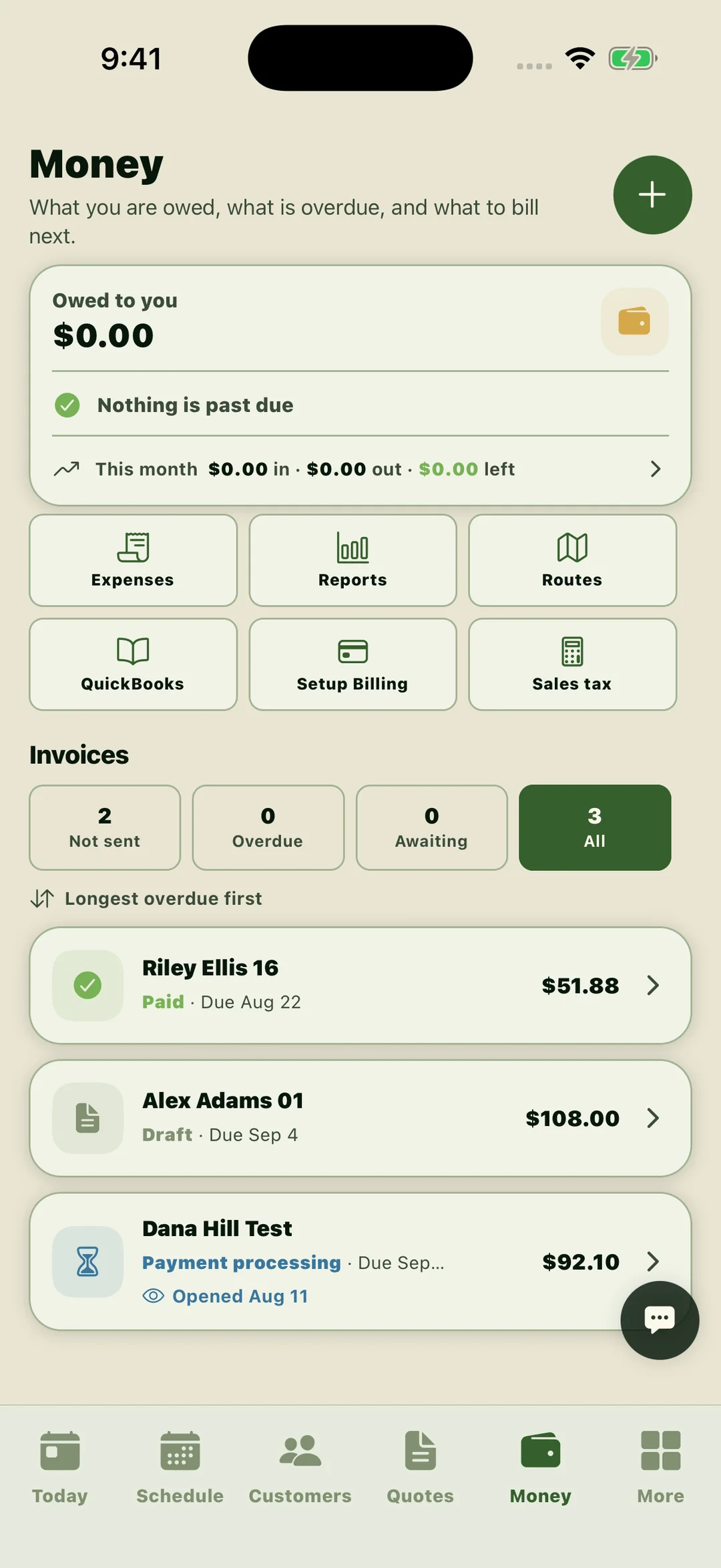
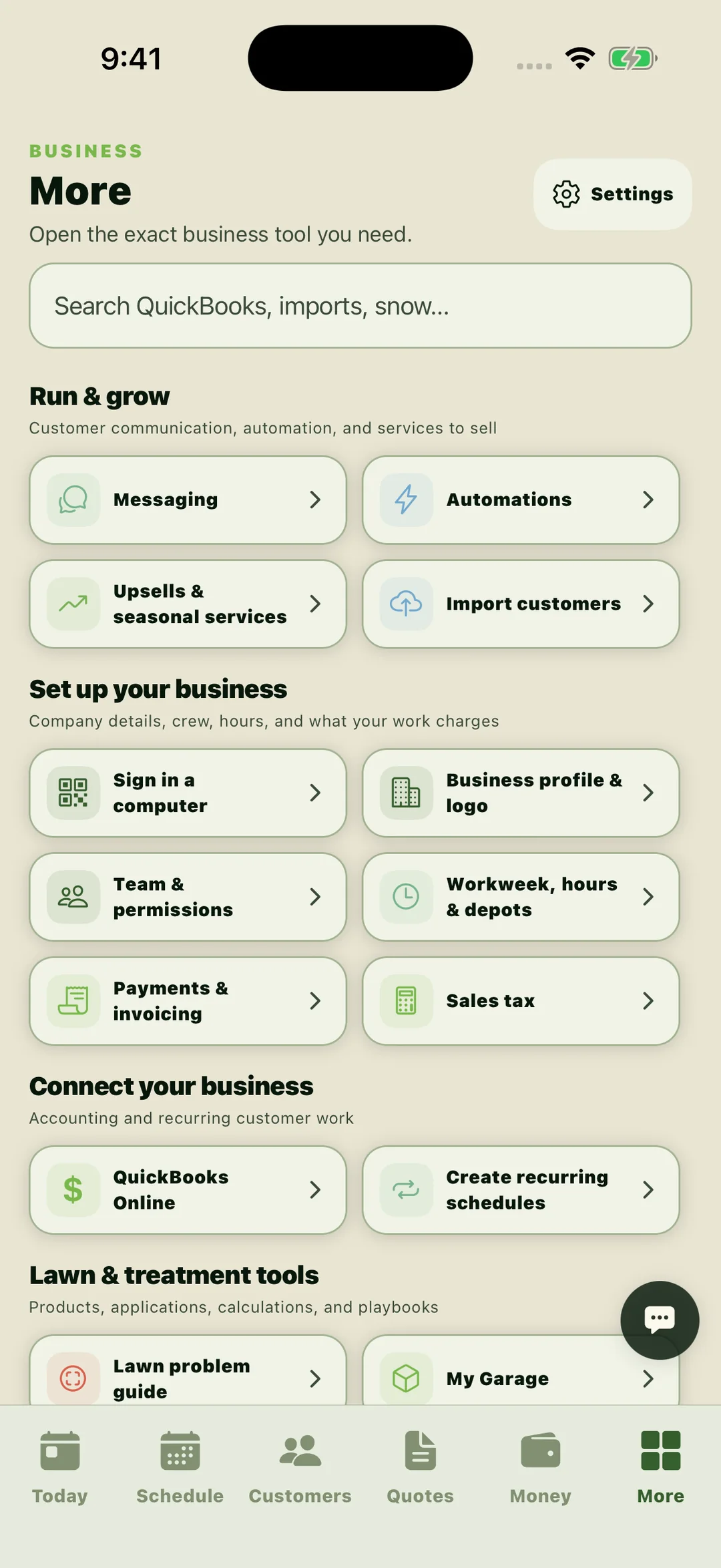
Start the day already sorted
Today opens on the crew’s route: stops in order with drive time between them, the day’s weather and soil temperature, weather checks to review alongside the product label before spraying, and how far through the day you are.
Book the repeat work
Weekly, every-other-week, and monthly schedules fill the week for you. Repeat customers who fell off the schedule are flagged, and one button orders every crew’s routes.
Every customer, whole
Each record carries the property, the measured square footage, the grass type, the price per visit, the cadence, and the balance, so nothing lives in a text thread.
Measure it, price it, send it
Quotes are built from the measured lawn and your own price book, sent as a link the customer can accept from their phone, and tracked from sent to accepted.
Know what you are owed
What is owed, what is past due, and what is still to bill, with every invoice in one of four states so the money conversation is a glance, not an evening.
The rest of the shop
Messaging, automations, QuickBooks, sales tax, team permissions, and the lawn tools: product library, tank-mix math, application records, and the lawn problem guide.
The desk view
The same office, on a real screen.
Sign in with the account you use in the app. What the crews see on their phones is what you see here, at the same moment.
Sign in to the office- Every crew on one map
- See each crew, its stops in order, its route, and where the crew is right now, with live radar over the top.
- The whole customer book
- Search customers, open a record, and see properties, photos, visits, invoices, and balances on a big screen.
- Money at a glance
- Invoices, quotes, payments, and a simple summary for the week, month, quarter, or year.
- Same account, same data
- Sign in with the account you use in the app. What you see here is what the crews see on their phones, at the same moment.
Lawn-first, not generic
The turf work is not an add-on.
A generic job can store an address and a note. A lawn job also has measured turf, products, rates, weather, treatment records, and a problem the customer wants explained.
Measure turf, not the whole parcel
Trace the lawn on satellite imagery and subtract beds, pavement, and other areas before pricing per 1,000 square feet.
Treatment records beside the route
Record product, EPA registration number, rate, treated area, applicator, weather, and restricted-entry information with the visit.
Product math that starts with the label
Use label-aware products, area calculations, tank-mix math, and direct source links without leaving the field workflow.
A crew view, not the owner’s books
Crew members see their route, schedule, diagnostics, and allowed tools. Company and financial controls stay with the right roles.
What it costs
Start free. Pay when you outgrow it.
- Starter
- Free
- for as long as you like
- Scheduling, routes, quotes, invoices, and treatment records for up to 20 active customers.
- Recurring schedules, day routes, and crews
- Measured quotes, invoices, and payments
- Treatment records and property photos
- The office website at app.lawndominators.com
- No card to start. No trial period to run out.
- Core
- $19.99
- per month
- Everything in Starter, with no cap once you take on customer 21.
- Unlimited customers, properties, and photos
- Your whole crew at one price, never per worker
- Each employee gets their own login and day view
- Cancel any time in your store settings
- Billed by the App Store or Google Play, not by us.
- Automation
- $45.00
- per month
- Everything in Core, and the app texts your customers so you do not have to.
- A text at 5:00 PM the day before every visit
- An “on my way” text when the crew taps it
- Skipped automatically if the visit moves or cancels
- Cancel any time in your store settings
- Same store billing. Texts only go to customers who agreed to them.
Starter includes the daily workflow for up to 20 active customers. Core removes that customer cap. Automation includes Core and adds customer texting. The stores show the price and renewal terms again before you buy.
Open the field manual
Start with the part of the route that is costing you time.
- Recurring lawn service schedulingSet weekly, every-other-week, or monthly schedules, assign crews, respect workweek limits, and keep recurring visits organized.
- Day routes + crew dispatchOrder a route, preview the change, spot outlier customers, assign capable crews, and hand the day to Apple Maps or Google Maps.
- Measure → quote → invoiceMeasure turf on a satellite map, price per 1,000 square feet or flat, send a branded quote, and build the invoice from completed work.
- Treatment + compliance recordsRecord product, EPA registration number, rate, area treated, applicator, weather, and restricted-entry information with the property.
- Jobber alternative for lawn careCompare Lawn Dominator Business Suite with Jobber for lawn care scheduling, routes, quotes, invoices, crews, and treatment records.
Honest limits
The software does not get to make the field decision for you.
- Route ordering uses estimates from confirmed property pins. You preview every proposed change; live traffic is not included.
- Satellite measurement and quotes are operator-reviewed. The app never invents what your market should pay.
- Photo diagnosis is a starting point, not a final pest, weed, or disease identification.
- Product labels and applicable law control pesticide use and recordkeeping. The applicator remains responsible.
Common questions
Before you move a route over.
- Who is Lawn Dominator Business Suite for?
- Solo lawn care operators and small crews running mowing routes, treatment routes, or both. It is not positioned as an enterprise landscaping ERP.
- How much does it cost?
- Starter is free, for as long as you like, up to 20 active customers. There is no trial period to run out. When you take on customer 21, Core is $19.99 per month and removes the cap on customers, properties, and photos, for your whole crew at one price. Automation is $45.00 per month and adds the texts that go to your customers the evening before a visit and when the crew is on the way. The store shows current prices and renewal terms before you buy anything.
- Does it work on iPhone and Android?
- Yes. Lawn Dominator Business Suite is released for iPhone and Android.
- Is it a Jobber replacement?
- It can replace the core lawn workflow for some solo operators and small crews. It does not claim every Jobber feature or Jobber's broader integration and marketing ecosystem.
- Does route ordering use live traffic?
- No. The office website uses confirmed map locations to balance stops across saved crews and build an efficient order without live traffic. You preview the plan before saving it to the website and crew phones. Use Apple Maps or Google Maps for turn-by-turn navigation and current traffic.
- Can I use it on a computer?
- Yes. Sign in at app.lawndominators.com with the same account you use in the app. Owners and office staff can manage routes, schedules, customers, money, messages, team access, and company settings. Changes sync between the website and app.
Business Suite
Put one real route through it.
Create the company in the app, book the repeat work, run the stops, and send the invoice. Then sign in here and run the week from the desk.
Free to 20 active customers, with no trial to run out. Core is $19.99/month when you outgrow it, and you can cancel any time in your store settings.